Photo to Sketch - Free Picture to Drawing AI
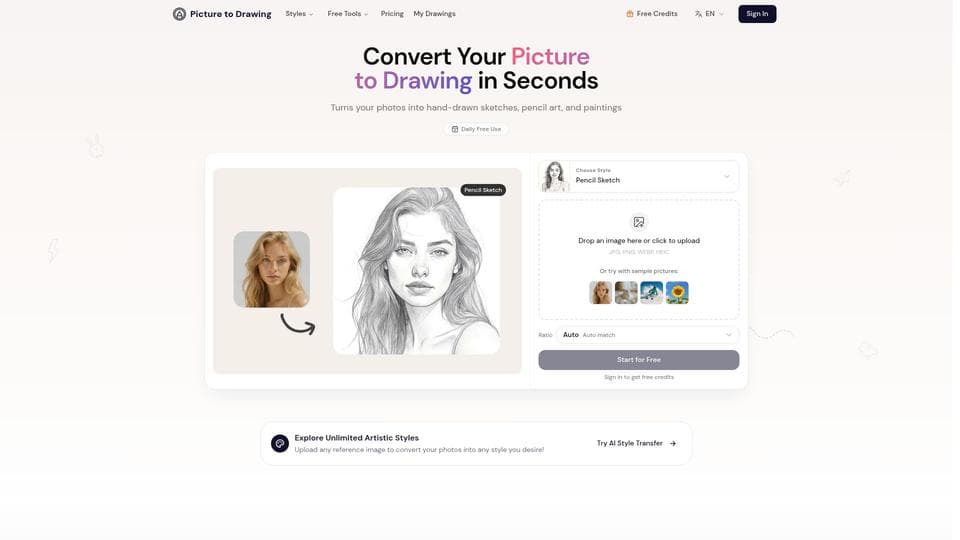
Visit WebsitePhoto to Sketch uses advanced AI to transform your photos into beautiful pencil sketches, watercolor paintings, and other artistic styles. Enjoy high-resolution downloads, privacy protection, and multiple style options with a simple, user-friendly interface.
Analytics of Photo to Sketch - Free Picture to Drawing AI
- Total Visits
- 1.1K
- Avg. Time on Site
- 00:20
- Bounce Rate
- 37.5%
- Pages per Visit
- 1.5
Traffic Sources
Top Regions
What is Photo to Sketch - Free Picture to Drawing AI?
Photo to Sketch is an AI-powered tool that converts your photos into various artistic drawings such as pencil sketches, line drawings, color pencil art, and watercolor paintings. Utilizing cutting-edge artificial intelligence, it preserves natural textures, shadows, and fine details to create authentic, hand-drawn looks rather than simple digital filters. The tool supports multiple image formats and offers high-resolution outputs suitable for printing, social media, and professional use. Privacy is a priority, with all photos processed securely and deleted after conversion.
How to use Photo to Sketch - Free Picture to Drawing AI?
1. Upload your photo by clicking or dragging an image file (supports JPG, PNG, WEBP, HEIC). 2. Choose your preferred artistic style from options like pencil sketch, line drawing, color pencil, or watercolor painting. 3. Select the aspect ratio for your output, such as auto, 1:1, 3:4, 4:3, 9:16, or 16:9. 4. Click the convert button to generate your drawing. Free users get one daily trial, while registered users can use credits for unlimited conversions. 5. Download your high-resolution artwork once the conversion is complete.
Photo to Sketch - Free Picture to Drawing AI Core Features
Multiple authentic artistic styles including pencil sketch, line drawing, color pencil, and watercolor
High-resolution output suitable for printing and social media
Advanced AI technology preserving textures, shadows, and fine details
Daily free use with option to create an account for unlimited conversions
Secure processing with automatic deletion of uploaded photos
Mobile-friendly responsive design for seamless use on smartphones and tablets
Photo to Sketch - Free Picture to Drawing AI Use Cases
Creating personalized gifts by turning family photos into artistic drawings
Enhancing social media content with unique, eye-catching artwork
Designing marketing materials with distinctive hand-drawn visuals
Transforming photos into elegant home decoration pieces
Supporting educational projects and art presentations
Building creative portfolios showcasing diverse artistic styles
FAQ from Photo to Sketch - Free Picture to Drawing AI
How does the picture to drawing AI work?
The AI analyzes your photo's composition, lighting, textures, and details to replicate traditional artistic techniques such as shading and line weight. This results in authentic, hand-drawn style artwork that preserves the emotional essence and fine details of the original image.
Is my photo safe and private?
Yes, your photos are processed securely on encrypted servers and are automatically deleted after conversion. The service does not store, share, or use your images for any other purpose, ensuring complete privacy.
Can I use this tool on mobile devices?
Absolutely. The tool features a responsive design that works seamlessly on smartphones and tablets, allowing you to upload photos, apply artistic styles, and download results directly from your mobile device.