Banana AI
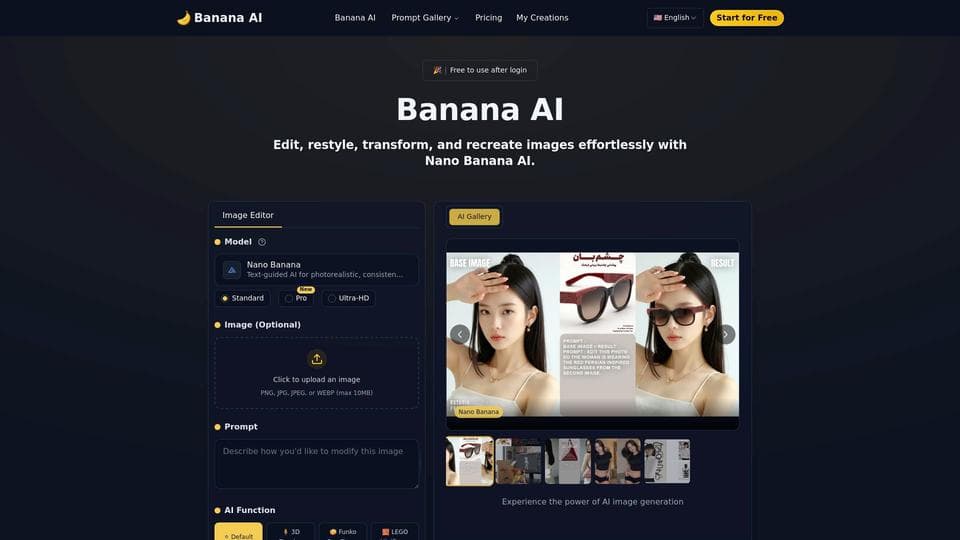
Visit WebsiteBanana AI is a free, user-friendly AI photo editor powered by Google's Nano Banana technology. It enables precise, high-quality image edits, style transformations, and batch processing—all through simple text prompts and lightning-fast processing.
What is Banana AI?
Banana AI is an advanced AI-powered photo editor that allows users to edit, restyle, transform, and recreate images effortlessly using text prompts. Powered by Google's Gemini 2.5 Flash Image technology, it delivers photorealistic and consistent edits in just 1-2 seconds. The tool supports a variety of creative functions including background replacement, lighting adjustment, style conversion, color changes, age transformation, and 3D figurine creation. It maintains identity consistency across edits, making it ideal for both casual users and professionals who want fast, high-quality results without needing design experience.
How to use Banana AI?
1. Upload Your Photo: Start by uploading any image you want to edit, such as a selfie, portrait, or landscape. 2. Enter Your Prompt: Type a clear text prompt describing the desired edit, for example, 'Turn this into a cartoon' or 'Replace background with sunset.' 3. Click Generate: Submit your prompt and let Banana AI process the image in seconds. 4. Preview, Download, and Share: Review the edited image, then download it or share it directly on social media.
Banana AI Core Features
Text-prompt driven AI photo editing
Background replacement with automatic edge refinement
Lighting adjustment with professional control over direction and intensity
Style conversion including anime, watercolor, Pixar-like, and more
Age transformation to generate younger or older portraits
Batch editing for multiple images simultaneously
Banana AI Use Cases
Creating unique profile pictures and avatars
Enhancing marketing visuals and social media content
Transforming portraits into artistic styles like anime or Pixar
Replacing backgrounds for product photography
Batch editing photos for consistent branding
Generating creative 3D figurines from photos
FAQ from Banana AI
What can Banana AI edit?
Banana AI can remove objects, replace backgrounds, adjust lighting, apply various creative styles, change colors, and perform age transformations on photos—all through simple text prompts.
Is Banana AI free to use?
Yes, Banana AI offers free credits upon signup for basic editing features. Advanced options like higher resolution images and batch editing require purchasing additional credits or subscribing to a plan.
How does Banana AI maintain consistency across edits?
Banana AI uses advanced AI technology to preserve identity and key facial features across multiple edits, ensuring that subjects remain recognizable even when styles or backgrounds change.